The BMW Motorrad Connected app is designed as an app for the so-called portrait mode (upright position). As soon as you start your trip, a map view is displayed. For this view, both portrait mode and landscape mode are supported.
You can set the alignment for the map view while riding in the BMW Motorrad Connected app. To do this, select the "More" menu , switch to navigation settings and under "Map orientation of the lock screen while riding", click on "Car", "Portrait" or "Landscape".
Please note: Also check the system settings of your smartphone. Here it must be set that the screen orientation is not fixed.
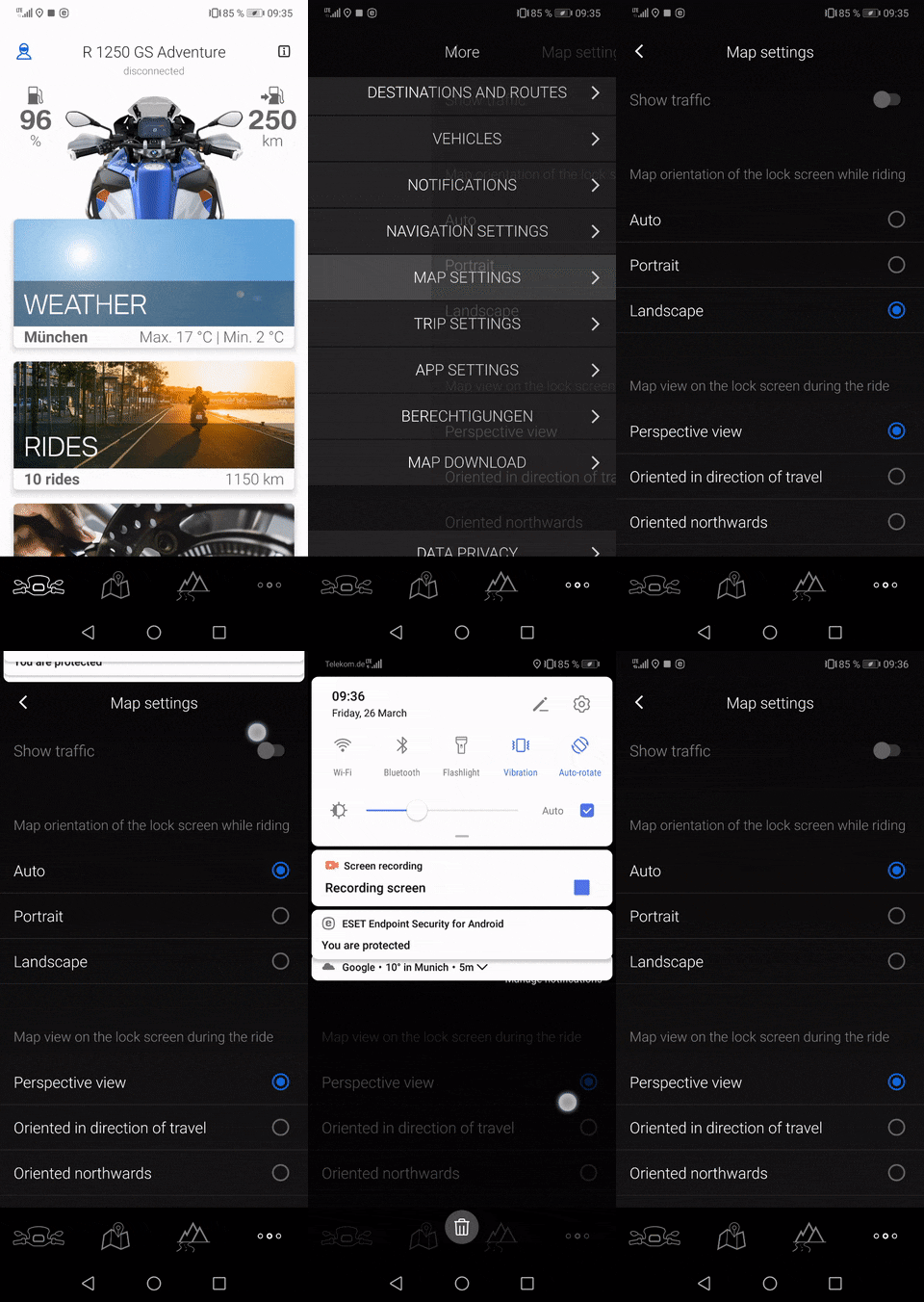
You can set the alignment for the map view while riding in the BMW Motorrad Connected app. To do this, select the "More" menu
Please note: Also check the system settings of your smartphone. Here it must be set that the screen orientation is not fixed.